See the whole decision path
Arrange slides, decisions, actions, conditions and outcomes in a visual node graph. Use nested Decision Layers to organize detailed subprocesses without losing the bigger picture.
 CREATOR
Decisions. Procedures. Understanding.
Create branching workflows, interactive lessons and visual simulations that connect choices, actions and outcomes. Help teams examine risk, practice procedures and understand what comes next.
Launch planned for December 2026
A completed task is a starting point for review, not proof that a safeguard worked.
Inside QuextPath Creator
Genuine screenshots from the Windows Creator 0.3.14, using sample projects and demonstration data. Open an image to explore the full-size view.
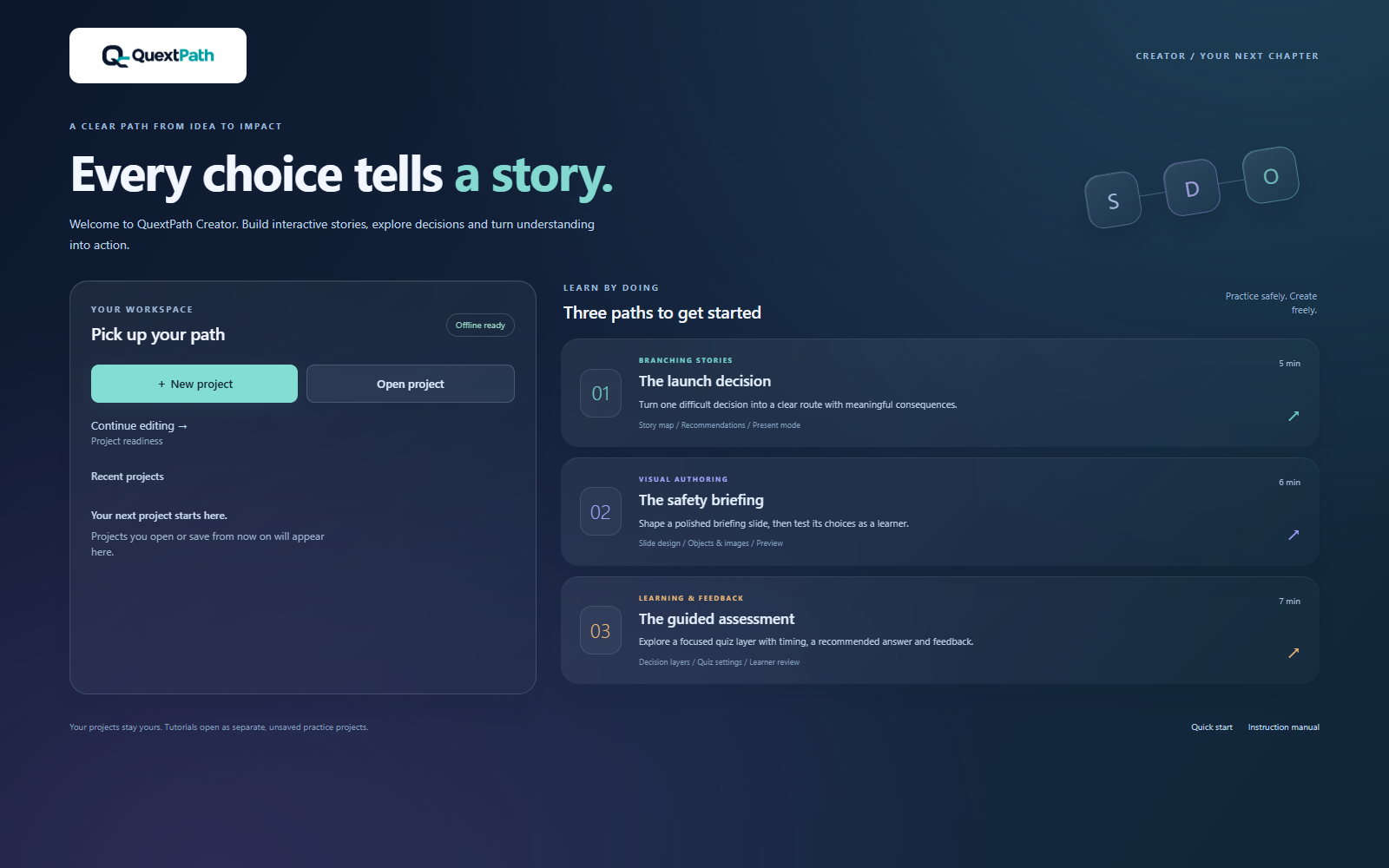
Open a project or choose one of three guided practice paths from Welcome.
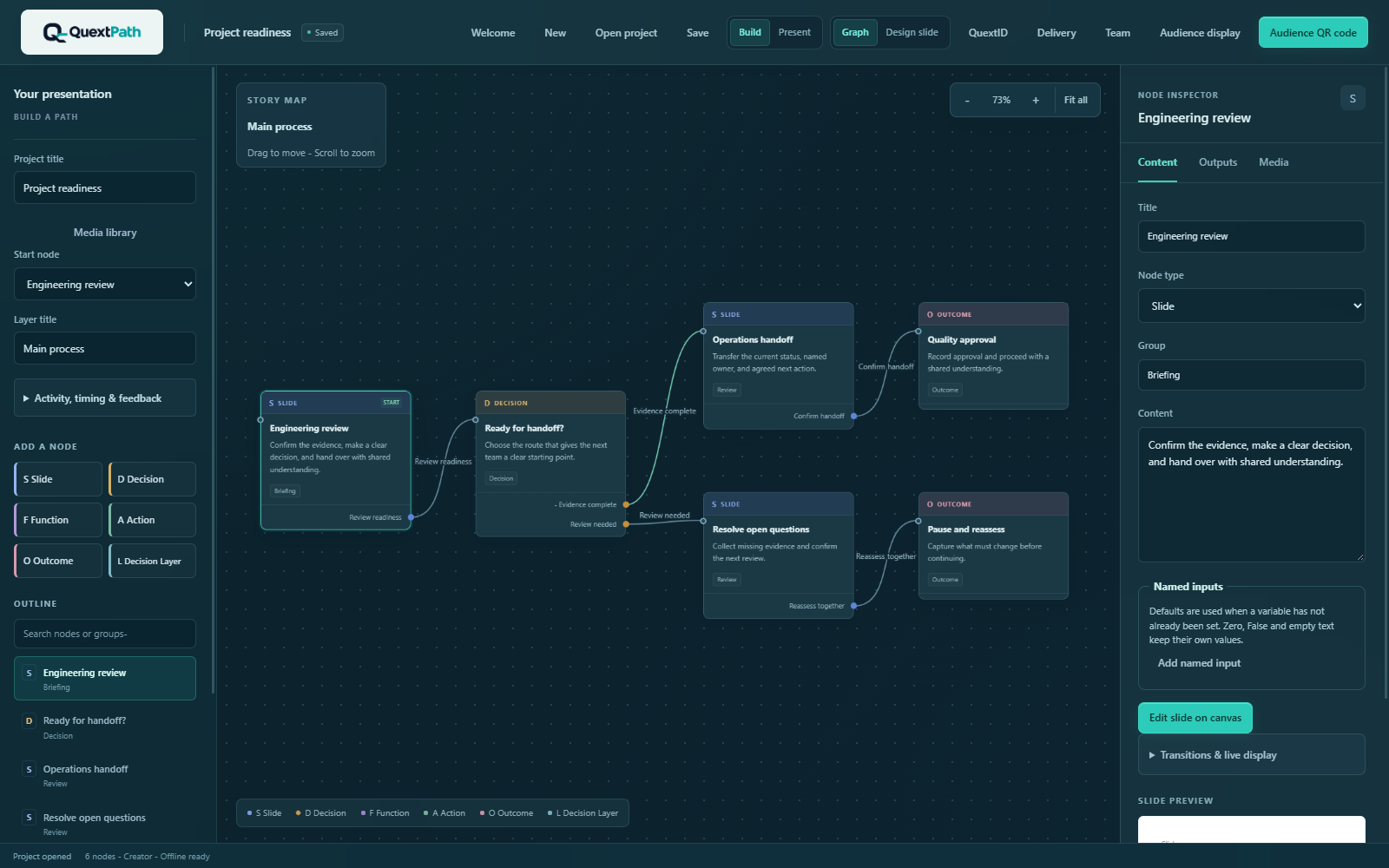
Connect review steps, decisions and outcomes on the visual story map.
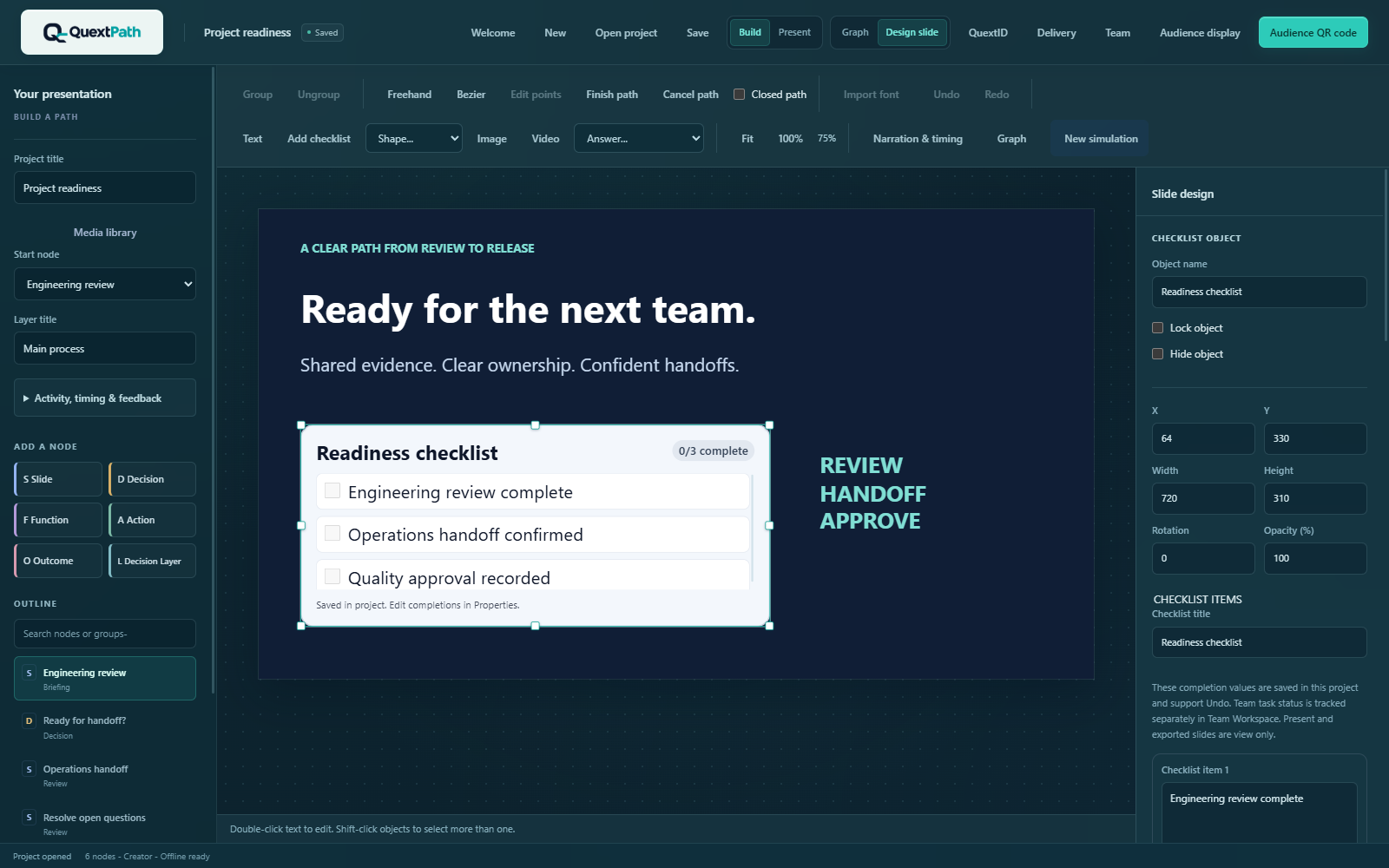
Arrange editable checklist content and tune its layout on the slide canvas.
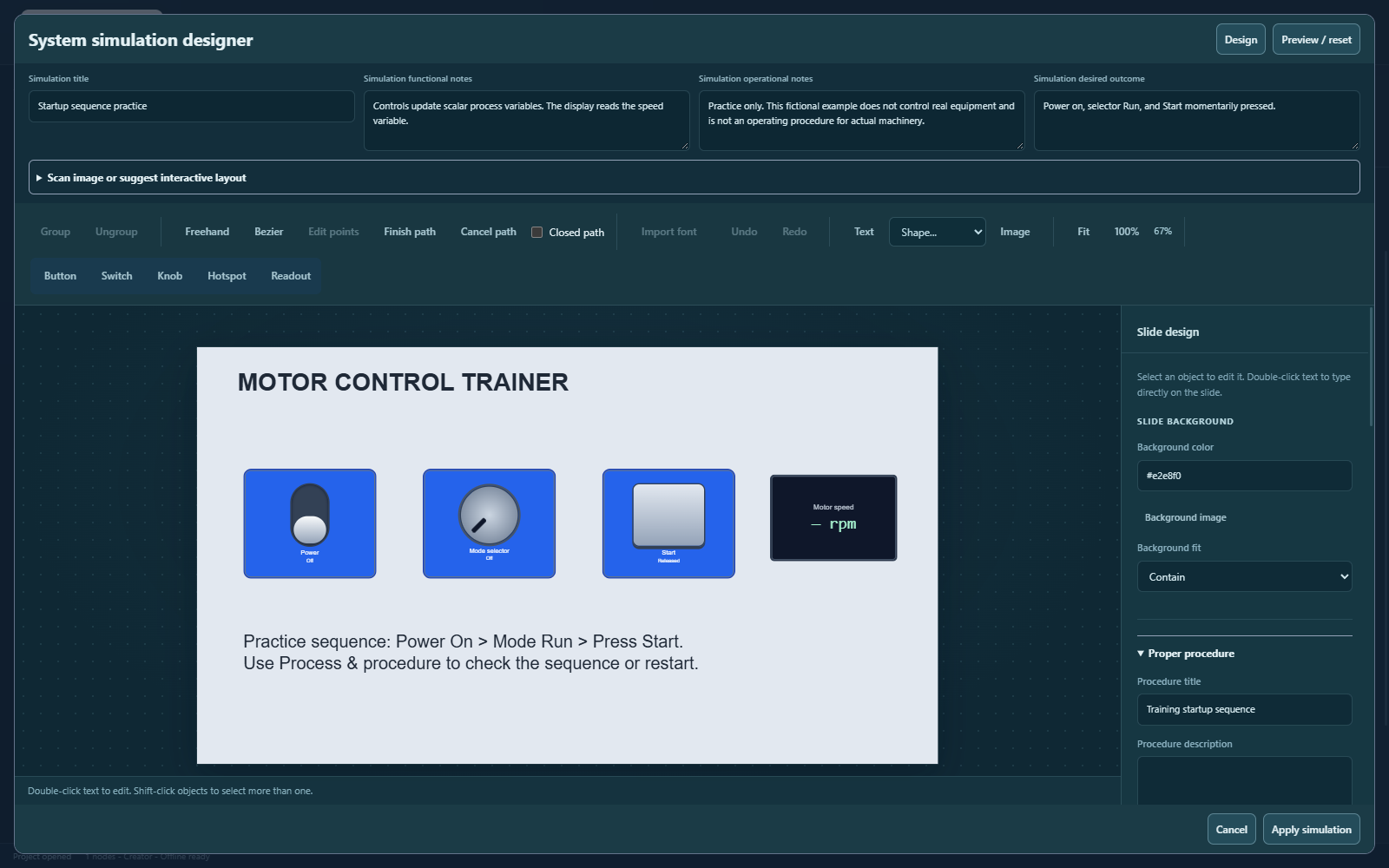
Build a fictional training example with a switch, selector, start button, readout and author-defined practice sequence.
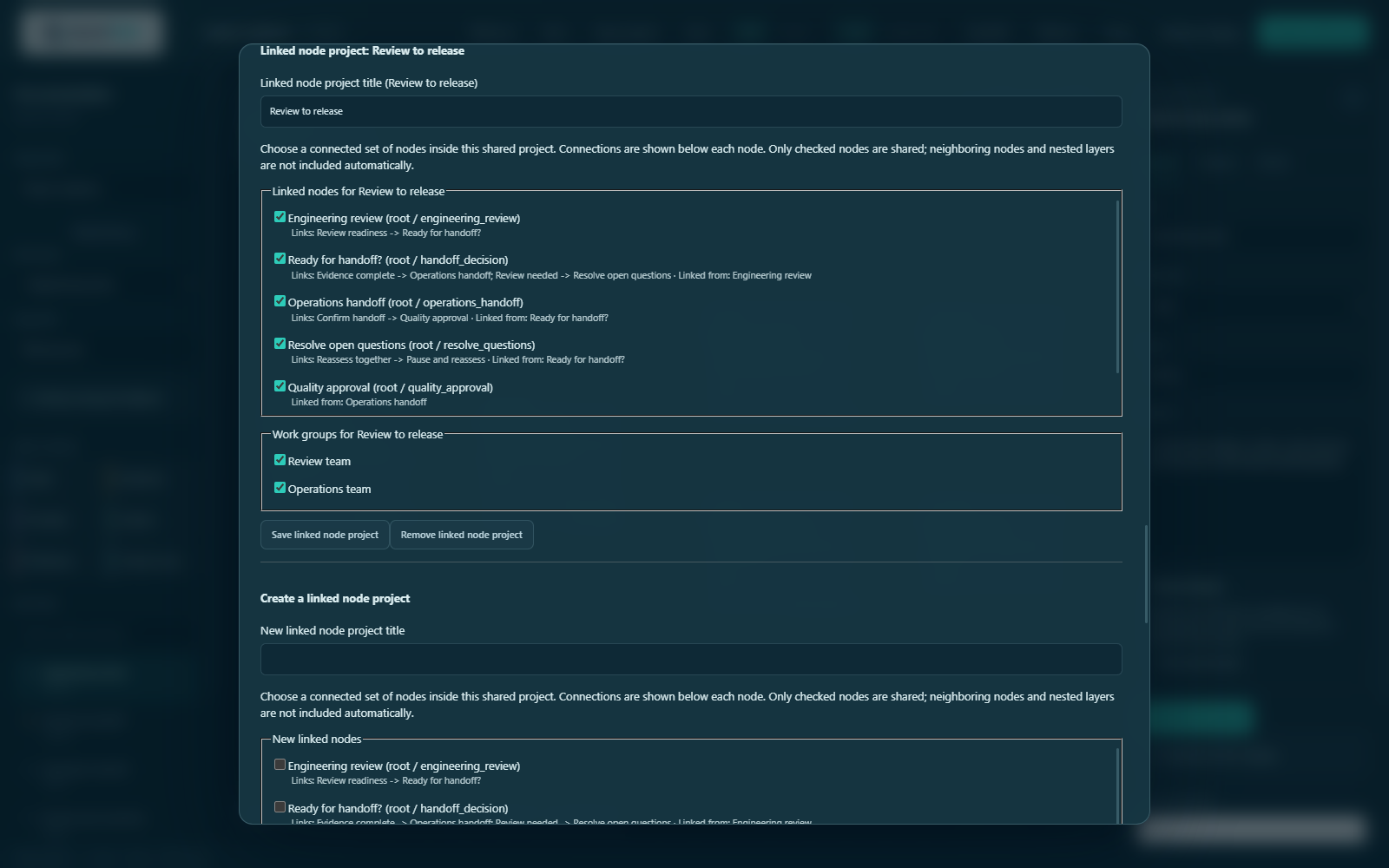
Select connected nodes and assign named work groups within an explicit content scope.
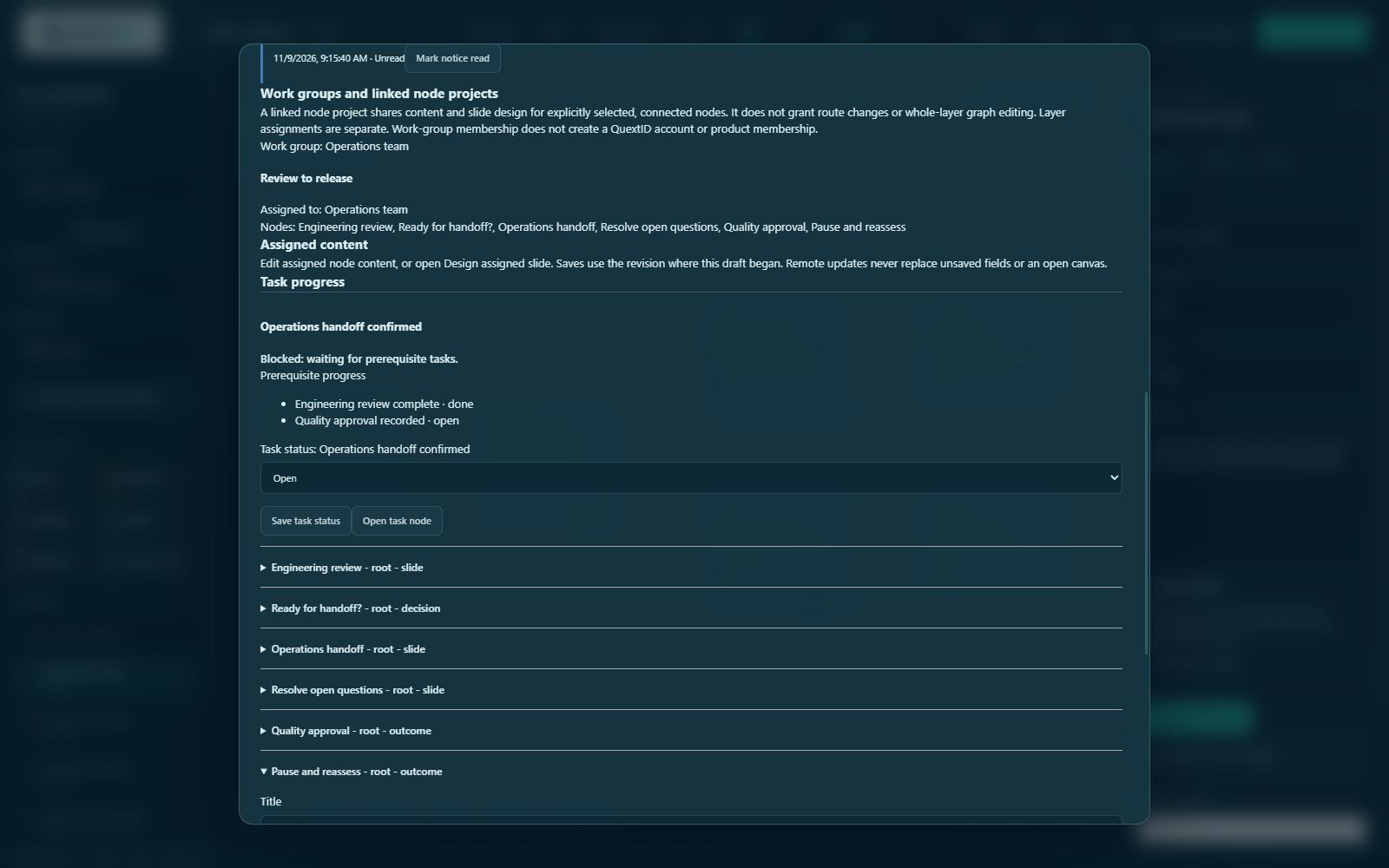
Track prerequisite progress and keep a dependent handoff blocked until required reviews are done.
Example content illustrates the authoring tools. It is not a validated operating procedure or a completed production collaboration test.
One connected authoring experience
QuextPath Creator brings visual branching, learning content, interactive controls and team assignments into one Windows desktop program. Explore the authoring, presentation and team tools in Creator 0.3.14.
Arrange slides, decisions, actions, conditions and outcomes in a visual node graph. Use nested Decision Layers to organize detailed subprocesses without losing the bigger picture.
Combine text, shapes, images, narration and video. Create self-paced choices, optional time limits and author-controlled feedback, or guide a live group through a branching presentation.
Start with a photograph, diagram or scanned drawing. Add configurable buttons, switches, knobs, hotspots and readouts, with functional notes and an optional author-defined sequence check.
Project admins organize work groups and assign connected nodes. Scoped access, presence and saved-change updates support coordinated editing while protecting unsaved drafts.
Team updates follow explicit saves. Simultaneous typing and automatic conflict merging are not supported.
Link checklist items to team tasks, identify in-app notice recipients and require prerequisites before dependent work can be completed. Keep the action and its context together.
Task notices are in-app, not email. Completion does not establish that a control is effective.
Use local self-paced playback, an audience display, or internet QR participation for live decisions. Portable .rpres projects embed their media for use with a compatible QuextPath runtime.
Hosted audience and team features require internet and a host QuextID. Local authoring and playback work offline.
Across industries
Use the same visual approach for different operating environments. Your team supplies the context, procedures and professional judgment.
Downloads & documentation
Download the signed Windows Creator 0.3.14 installer and its current guides.
Signed Windows installer available
Download Creator 0.3.14, including Welcome tutorials, Team updates, checklist handoffs and both PDF guides. Launch is planned for December 2026.
Version 0.3.14 · Windows x64 · 164.4 MB
Signed by Quext Interactive Technologies, Inc.
Close Creator before updating and back up your projects. This installer is Creator-only; a matching updated standalone Player is not included. Mac and iPad releases are not available.
Testing status: the final signed installer has not yet been tested through a fresh install or an upgrade. Physical scanner, microphone and external-display checks, and a production two-account Team handoff, remain unverified. Rehearse your own setup before operational use.
Your first branching project, visual content, presenting and Team basics.
Download Quick Start 5 pages · November 2026 Windows editionDetailed authoring, simulations, presenting, work groups, checklist handoffs and guided tutorial recipes.
Download Instruction Manual 56 pages · November 2026 Windows editionKeep projects backed up, use a compatible current runtime, and validate procedures and outcomes with qualified reviewers.
Human judgment remains essential
QuextPath supports human-led risk review, training and procedural understanding. It does not automatically detect real-world hazards, control equipment, validate engineering models or certify that a procedure is safe. Qualified people must review the content, confirm applicable requirements and assess whether safeguards are effective.
A few practical details
Local authoring and self-paced playback can run offline. Hosted Team work, audience sessions and online delivery use internet services and the host's QuextID. Audience participants use the session link without creating accounts.
No. Authors and reviewers identify hazards and configure the content, controls and decision rules. A simulation compares operations with the procedure the author supplied; it does not establish that the procedure is correct or safe.
Yes. The development Creator imports common image formats and can place interactive controls over a photograph, diagram or scanned drawing. Direct scanning depends on a compatible Windows WIA device. Convert unsupported image formats before importing.
QuextPath is a standalone authoring and playback system using .rpres projects. Interactive PowerPoint export is not supported. Local learner resume is not a central learning-management record.
Start with your process
Tell us about your training, procedure or team workflow.